How to cross-post TikToks to Instagram, YouTube and Facebook
To cross-post a TikTok, upload the original video file to each platform, not a copy saved from TikTok, which carries the watermark. Keep it vertical and under 90 seconds and it fits Instagram Reels, YouTube Shorts and Facebook Reels, or post to all four at once with a free tool like Escendo.
Updated November 2026
Why not just download the TikTok and repost it?
Because of the watermark. TikTok does not support downloading videos without the watermark. Instagram's creator FAQ says a third-party watermark on a reel may cut its reach. So keep the file you edited, from your phone's camera roll or your editing app, and upload that everywhere.
What size and length does each platform take?
In their own apps, each platform allows different lengths. Schedulers post through each platform's publishing tools for apps, which can be stricter, as Facebook's is.
TikTok
- Shape
- Vertical (TikTok's developer guide sets no ratio)
- Length
- All TikTok creators can post videos up to 3 minutes; some accounts can post 5 or 10 minutes.
YouTube Shorts
- Shape
- Square or vertical
- Length
- Up to 3 minutes. Longer videos are regular videos, not Shorts.
Instagram Reels
- Shape
- 9:16 recommended
- Length
- Up to 20 minutes in the app, but over 3 minutes isn't recommended to new audiences. Through apps: 3 seconds to 15 minutes, up to 300MB.
Facebook Reels
- Shape
- 9:16
- Length
- No maximum in Facebook's app. Through apps: 3 to 90 seconds.
The short answer: a vertical 9:16 video between 3 and 90 seconds works on all four.
How do you cross-post to every platform in one step?
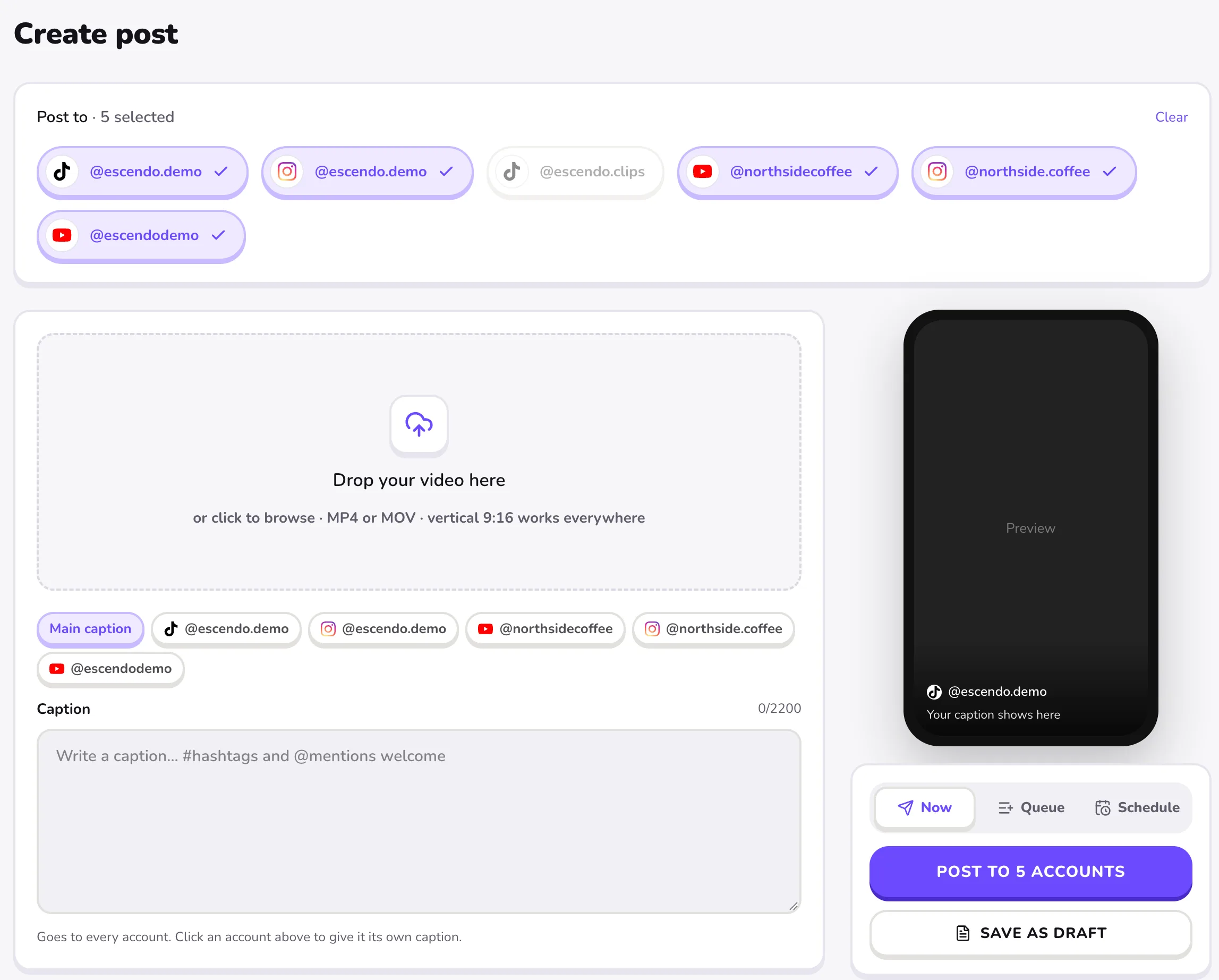
Escendo is free and posts to TikTok, YouTube Shorts, Instagram Reels and Facebook Reels from one upload, to as many accounts as you run.
- 1Keep the original fileExport or save the video before you post it to TikTok. Don't download it back from TikTok.
- 2Make it fit everywhereVertical 9:16, between 3 and 90 seconds, so every platform takes it as a short video.
- 3Upload it once to EscendoPick your TikTok, Instagram, YouTube and Facebook accounts in one post.
- 4Adjust per platformGive each account its own caption, add a YouTube title, and a first comment where it helps.
- 5Post or schedulePost now or pick a time. Every account gets the same clean file.
Platform details: TikTok, Instagram Reels, YouTube Shorts and Facebook Reels.
Questions
How do I cross-post a TikTok to Instagram without the watermark?
Upload the original video file to Instagram, not a copy downloaded from TikTok. TikTok says it does not support downloads without the watermark, and Instagram says a third-party watermark may cut a reel's reach.
Can I cross-post TikTok to YouTube Shorts?
Yes. YouTube treats square or vertical videos up to 3 minutes as Shorts. Upload the original file, not the TikTok download.
Can I cross-post TikTok to Facebook Reels?
Yes. Keep it between 3 and 90 seconds and vertical if you post through a scheduler, since that's what Facebook accepts from apps. Facebook's own app has no maximum length.
Is there a way to post to all of them at once?
Yes. In Escendo you upload the video once and pick TikTok, Instagram, YouTube and Facebook accounts in the same post, with a caption per account. It's free with no limit on accounts.
Should I change the caption for each platform?
Often, yes. Hashtags and tone differ between apps, and YouTube also wants a title. Escendo lets you write one caption or click an account to give it its own.
Checked November 2026, from: developers.tiktok.com/docs/en/content-posting-api-media-transfer-guide, tiktok.com/download-video/en, support.google.com/youtube/answer/15424877?hl=en, facebook.com/help/instagram/225190788256708, developers.facebook.com/docs/instagram-platform/instagram-graph-api/reference/ig-user/media, creators.instagram.com/faq, creators.facebook.com/tools/reels, developers.facebook.com/docs/video-api/guides/reels-publishing. These change; check the source before you rely on a number.
Post your next video everywhere. Free, with no limits.
- Free
- Unlimited accounts and posts
- No card