How to post to all social media at once for free: TikTok, Reels and Shorts
To post to all social media at once for free, upload your video once to Escendo, pick your accounts on each platform and post now or schedule it. Escendo posts to TikTok, YouTube Shorts, Instagram Reels and Facebook Reels, plus LinkedIn, Bluesky, Tumblr and Mastodon; Threads and Pinterest are coming soon. A vertical 9:16 video between 3 and 90 seconds fits the four short-video platforms.
Updated November 2026
What size fits every platform?
TikTok
- Length
- All TikTok creators can post videos up to 3 minutes; some accounts can post 5 or 10 minutes.
YouTube Shorts
- Length
- Square or vertical videos up to 3 minutes count as Shorts (uploads after October 15, 2024).
Instagram Reels
- Length
- Apps that publish Reels for you can send 3 seconds to 15 minutes, up to 300MB, and 9:16 is recommended.
Facebook Reels
- Length
- Apps that publish Facebook Reels for you can send 3 to 90 seconds, in 9:16, with 1080 x 1920 recommended.
The short answer: a vertical 9:16 video between 3 and 90 seconds works on all four.
How do you post to every platform in one step?
- 1Connect your accountsIn Escendo, open Accounts and select Connect for each TikTok, YouTube, Instagram and Facebook account. There is no limit.
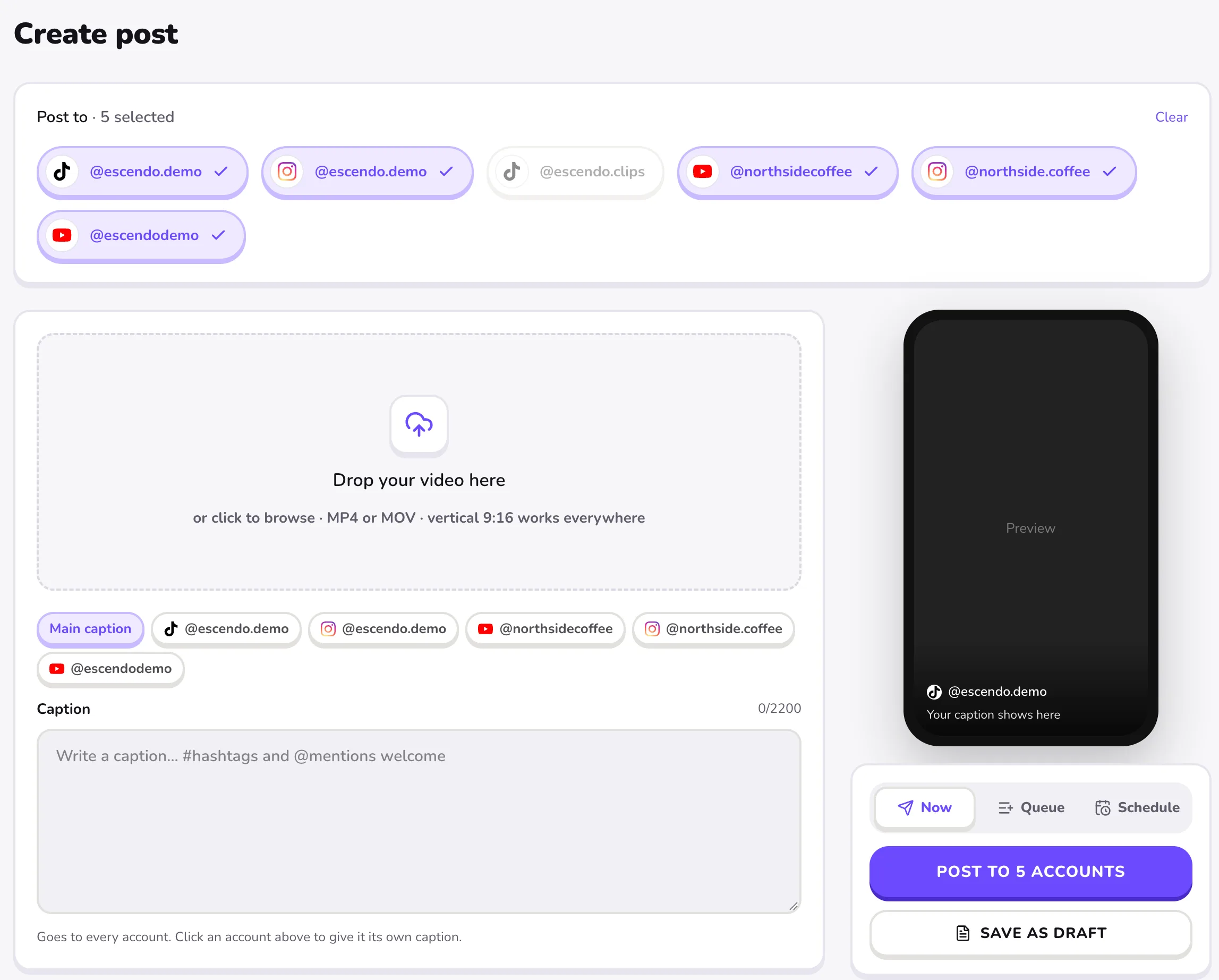
- 2Create a postSelect Create post and drop in the video once: vertical 9:16, between 3 and 90 seconds.
- 3Pick accountsChoose any mix of accounts across all four platforms for this one post.
- 4Adjust per platformWrite one caption or give each account its own. Add a YouTube title, TikTok settings and a first comment where it helps.
- 5Choose whenPick Now, Queue or Schedule. Every account gets the same clean file.
- 6Check it afterEach account's post shows on the Posts page. Once live, Insights shows views, likes, comments and shares.
Already posted it on TikTok? Read how to cross-post TikTok videos without the watermark.
Questions
Can I post one video to TikTok, Instagram, YouTube and Facebook at once?
Yes. In Escendo you upload the video once and pick TikTok, Instagram, YouTube and Facebook accounts in the same post. It's free with no limit on accounts.
What size works on every platform?
A vertical 9:16 video between 3 and 90 seconds works on TikTok, YouTube Shorts, Instagram Reels and Facebook Reels.
Can each platform get a different caption?
Yes. Write one caption, or click an account to give it its own. YouTube also gets its own title.
Can I finish the TikTok version in the TikTok app?
Yes. Choose send to TikTok inbox, and the video lands in your TikTok inbox to finish, for example with a trending sound.
Is it free?
Yes. Escendo is free, with unlimited accounts and posts and no card.
Checked November 2026, from: developers.tiktok.com/docs/en/content-posting-api-media-transfer-guide, support.google.com/youtube/answer/15424877?hl=en, developers.facebook.com/docs/instagram-platform/instagram-graph-api/reference/ig-user/media, developers.facebook.com/docs/video-api/guides/reels-publishing. These change; check the source before you rely on a number.
Post your next video everywhere. Free, with no limits.
- Free
- Unlimited accounts and posts
- No card