Free TikTok scheduler for multiple accounts
Escendo schedules TikTok videos to as many TikTok accounts as you run, for free. Upload once, set a caption per account, and post now or at a time you pick.
- Free
- Unlimited accounts and posts
- No card
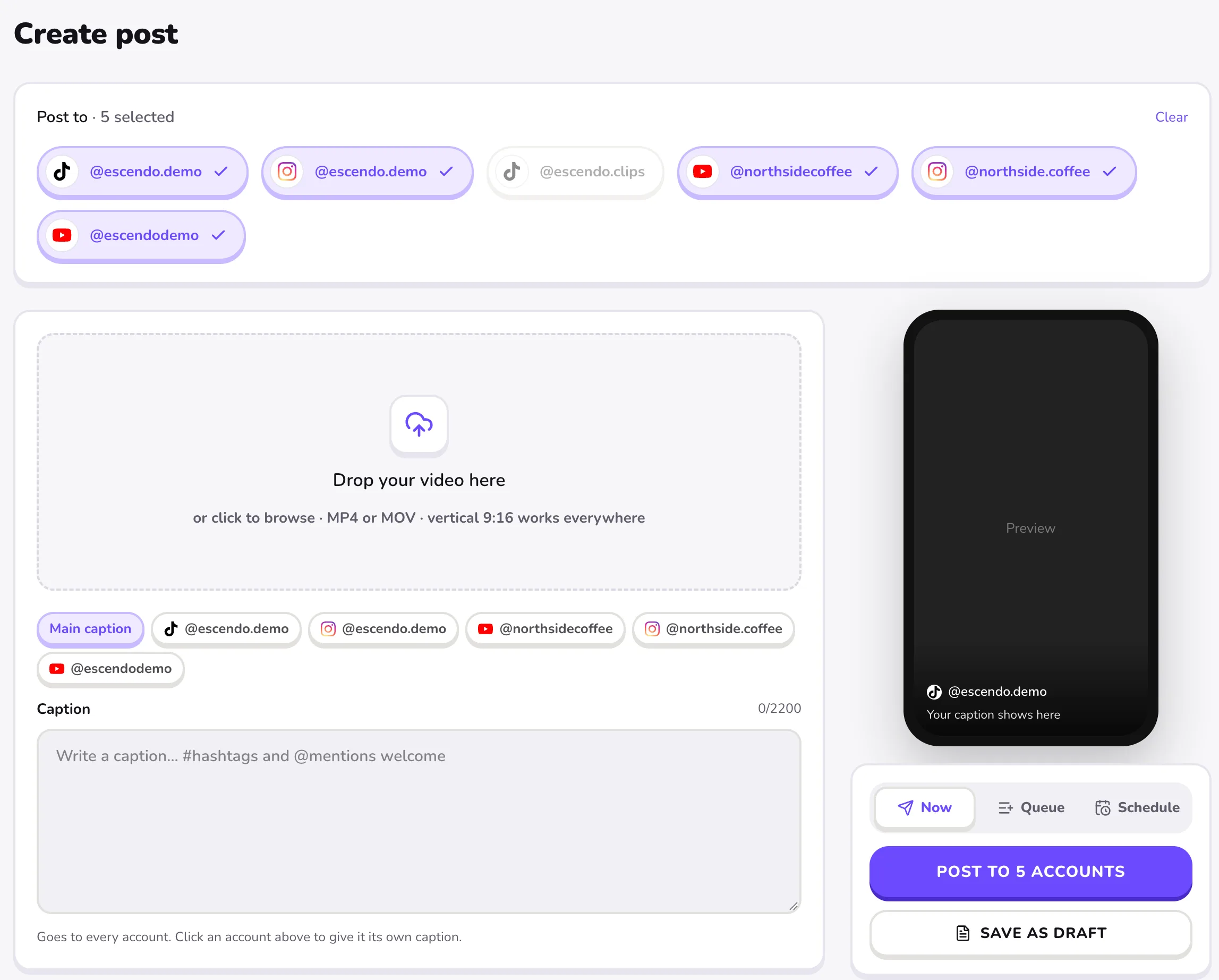
Running more than one TikTok account usually means logging in and out, uploading the same file again and retyping captions. Escendo connects every account through TikTok's own login, so one upload can go to all of them, or to any mix with your YouTube, Instagram and Facebook accounts.
Set privacy, comments, duet and stitch for each post.
Guide: How to schedule TikTok posts
How to schedule
- 1
Connect TikTok
Sign in with TikTok's own login. Repeat for each account; there is no limit.
- 2
Upload the video
Add the video once and pick the cover frame.
- 3
Set captions and options
Write one caption or one per account, then set privacy, comments, duet, stitch and disclosure.
- 4
Post or schedule
Post now or choose a date and time. It shows up on your calendar.
TikTok settings, per post
- Privacy level (who can see the video)
- Allow or turn off comments, duet and stitch
- Branded content disclosure for paid partnerships or your own brand
- Cover frame picker
- Send to TikTok inbox instead of posting directly

Send to inbox: add a trending sound
Some things are only possible inside the TikTok app, like adding a trending sound. Choose send to TikTok inbox and Escendo delivers the video to your TikTok inbox at the scheduled time. Open TikTok, add the sound or any finishing touches, and post it from there.
Also included, for every account
- As many accounts as you run, in any mix per post
- Bulk upload: up to 50 videos at once
- A posting queue: set your times once, new videos fill the next open slot
- A caption per account, plus saved snippets for hashtags
- First comment on YouTube, Instagram and Facebook
- A calendar you can drag posts around on, plus drafts and duplicate
- Views, likes, comments and shares for every post
- An email when a post goes live
Questions
Is this TikTok scheduler free?
Yes. Escendo is free with unlimited TikTok accounts and unlimited posts. No credit card.
Can I schedule to several TikTok accounts at once?
Yes. Pick any number of connected TikTok accounts for a post, each with its own caption if you want.
Can I add TikTok music or a trending sound?
Use send to TikTok inbox. The video arrives in your TikTok inbox, where you can add a sound in the app before posting.
Does Escendo need my TikTok password?
No. You connect through TikTok's official login, and you can disconnect in Escendo or remove access in TikTok's settings at any time.
Other schedulers
Your next video, on every account. Free, with no limits.
- Free
- Unlimited accounts and posts
- No card