Free Instagram Reels scheduler for multiple accounts
Escendo schedules Instagram Reels to as many Instagram accounts as you connect, for free. Upload once, write a caption per account, and post now or later.
- Free
- Unlimited accounts and posts
- No card
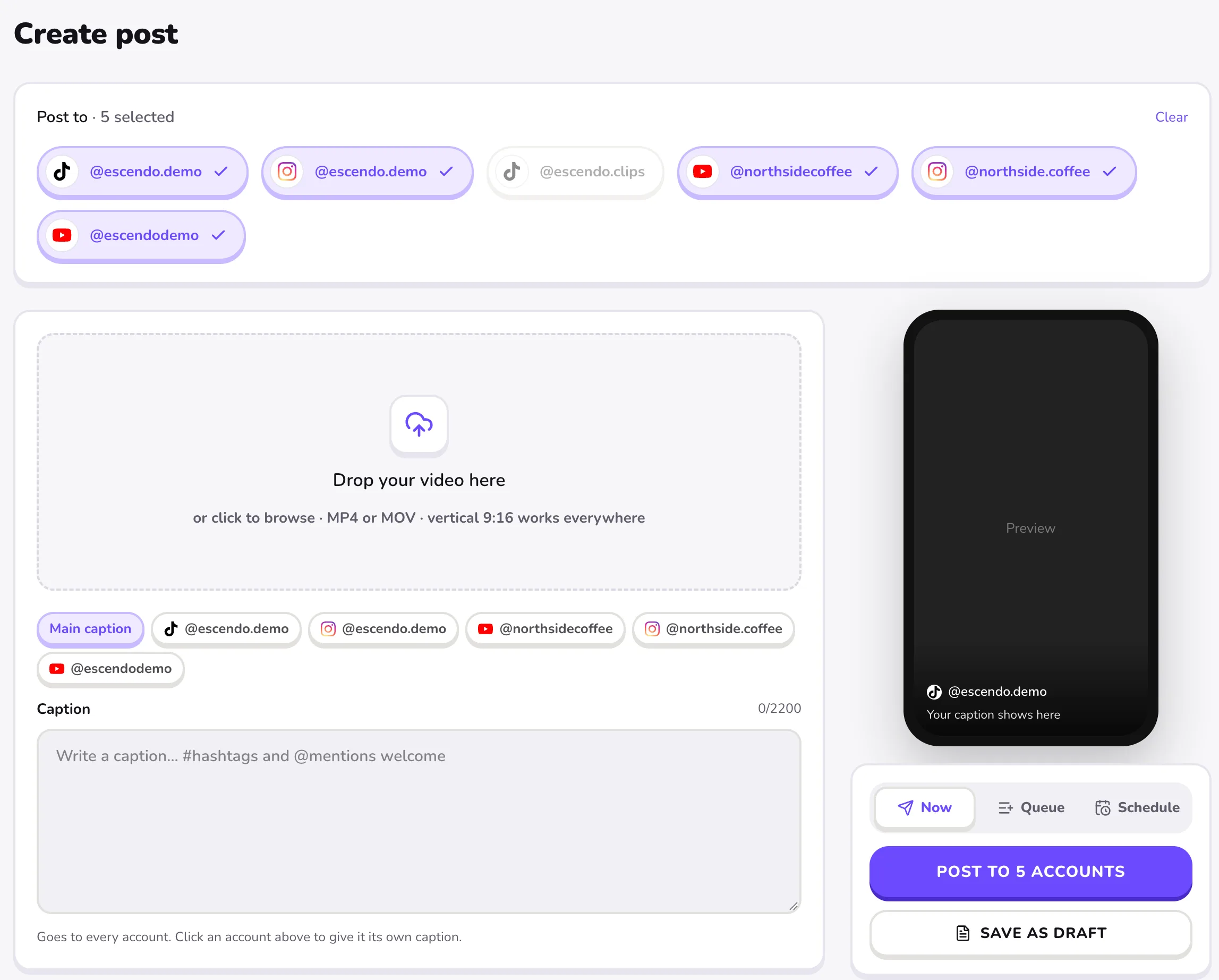
Escendo posts Reels to Instagram for you. Connect with Instagram or with Facebook: any professional (Business or Creator) account works, with or without a Facebook Page. Connect once, then send one video to several Instagram accounts, and to your TikTok, YouTube and Facebook accounts in the same post.
Each account can get its own caption and hashtags, so a brand account and a fan page don't have to share the same words.
How to schedule
- 1
Connect Instagram
Sign in with Facebook Login and choose the Instagram professional accounts to add.
- 2
Upload the Reel
Add the video once and pick the cover frame.
- 3
Write captions
One caption for every account, or a custom caption per account.
- 4
Post or schedule
Post now or pick a date and time. It lands on your calendar.
Instagram settings, per post
- Per-account caption
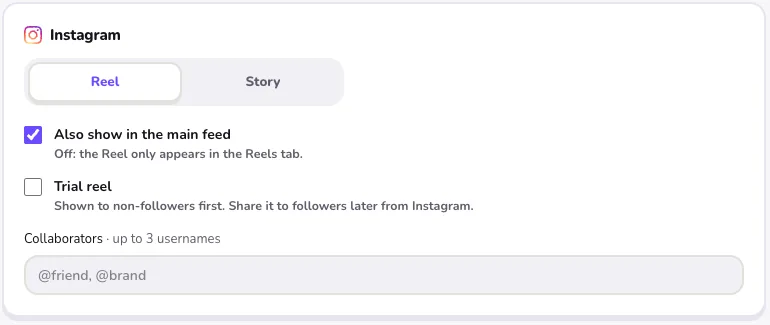
- Share to feed, so the Reel also appears on your profile grid
- First comment, posted right after the Reel goes live
- Cover frame picker
- Post now or schedule for later
See how each Reel did
Escendo shows views, likes, comments and shares for each post and followers for each account, refreshed every few hours.
Also included, for every account
- As many accounts as you run, in any mix per post
- Bulk upload: up to 50 videos at once
- A posting queue: set your times once, new videos fill the next open slot
- A caption per account, plus saved snippets for hashtags
- First comment on YouTube, Instagram and Facebook
- A calendar you can drag posts around on, plus drafts and duplicate
- Views, likes, comments and shares for every post
- An email when a post goes live
Questions
Is this Instagram Reels scheduler free?
Yes. Unlimited Instagram accounts and unlimited posts, free, with no credit card.
Can I post one Reel to several Instagram accounts?
Yes. Choose any number of connected accounts, each with its own caption if you want.
Can I choose whether the Reel shows on my feed?
Yes. Share to feed is a setting on each post.
How do I remove Escendo's access?
Disconnect the account in Escendo, or in Facebook go to Settings and privacy, Settings, Business integrations, and remove Escendo.
Other schedulers
Your next video, on every account. Free, with no limits.
- Free
- Unlimited accounts and posts
- No card