How to schedule Facebook Reels
To schedule a Facebook Reel, connect your Facebook Page to a scheduler like Escendo, upload a vertical video, write a caption, choose Schedule and pick a time. Keep it between 3 and 90 seconds, since that is what Facebook accepts from apps.
Updated November 2026
Pages or profiles?
Escendo posts Reels to Facebook Pages you manage. Personal profiles are not supported. To add another Page later, connect Facebook again and select it.
How do you schedule a Facebook Reel in Escendo?
- 1Connect FacebookIn Escendo, open Accounts and select Connect. Sign in with Facebook Login and choose the Pages Escendo may post to.
- 2Create a postSelect Create post and drop in the vertical video.
- 3Pick PagesChoose one or more Facebook Pages, plus any TikTok, YouTube or Instagram accounts.
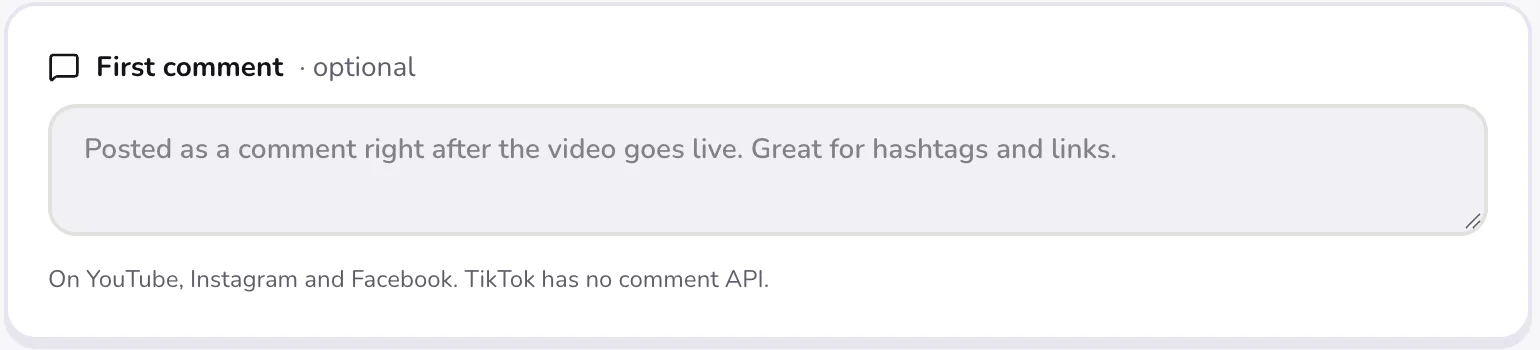
- 4Write the captionOne caption for every Page, or click a Page to give it its own. Add a first comment if you want.
- 5Choose whenPick Now, Queue or Schedule. Schedule sets a date and time; Queue drops it into your next open posting slot.
- 6Check it afterThe post waits on the Posts page and your calendar. Once it's live, Insights shows its views, likes, comments and shares.
What are the limits?
- Through apps: Apps that publish Facebook Reels for you can send 3 to 90 seconds, in 9:16, with 1080 x 1920 recommended.
- In Facebook's app: Facebook says there is no maximum length for reels made in its app.
More on the Facebook Reels scheduler, or post the same video everywhere with one upload.
Questions
Can you schedule Facebook Reels?
Yes. A scheduler like Escendo posts a Reel to your Facebook Page at the time you pick.
Can I schedule Reels to my personal Facebook profile?
No. Escendo publishes Reels to Facebook Pages you manage, not to personal profiles.
How long can a scheduled Facebook Reel be?
Apps that publish Facebook Reels for you can send 3 to 90 seconds, in 9:16, with 1080 x 1920 recommended. Facebook says there is no maximum length for reels made in its app.
Can I post one Reel to several Pages?
Yes. Pick any number of connected Pages for one post, each with its own caption if you want.
Is scheduling Facebook Reels free?
Yes, in Escendo. Unlimited Pages and posts, no card.
Checked November 2026, from: creators.facebook.com/tools/reels, developers.facebook.com/docs/video-api/guides/reels-publishing. These change; check the source before you rely on a number.
Schedule your next Reel. Free, with no limits.
- Free
- Unlimited accounts and posts
- No card